I have a paper due tomorrow (which I really should be working on right now, but I digress) and it needs to use IEEE style notation. I'm using Office 2007, Word to be percise, and the built in reference manager doesn't include support for IEEE. It includes all of the other major styles but it just happens to exclude IEEE.
After just a few minutes of searching the internet I found: IEEE Bibliography XSL Style Sheet for Word 2007
There is a simple download that when placed in the correct Office 2007 directory will add IEEE as one of the citation options. Using the built in Office 2007 citation manager hopefully will help me get this paper finished on time.
Back to work!
Sunday, March 30, 2008
IEEE Style Sheet for Office 2007
Saturday, March 29, 2008
Engineers Ball 2008
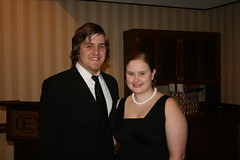
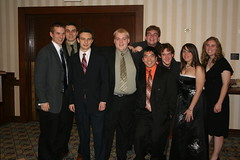
This will be the second E-Ball I've attended. It wasn't a packed house but it was a lot of fun. I was somewhat of the official photographer for the event. A bunch of other people took pictures but I was the creepy guy with the fancy camera. Also, I manage to get all of the pictures uploaded to Facebook and Flickr the same day! Speaking of pictures, here are the albums:




Wednesday, March 26, 2008
Why is my hard drive full?
I've always been a file pack rat... I'm also a hard drive pack rat but I never seem to have enough space to store all of my documents. A long time ago (I'm talking several years back) I found a program that would produce nice looking graphs telling what was taking up all of the space on your hard drive. It included useful breakdowns to identify large files and folders that could possibly be moved elsewhere to save space.
I looked at my podcast download for the day and rediscovered this old application that I couldn't remember the name of:
The name of the program is JDiskReport and it is a very small, free, download.
My laptop tends to have a full hard drive no matter what I do. I've even unloaded all of my music and podcasts onto my desktop and still can't manage to get more than 20 GB free.
The interface is very interactive and it is easy to figure out what folders or sub folders have large files in them.
Also, there are different types of breakdowns. According to the above graph I have way too many pictures on my computer. I think I'm going to move them all to my desktop and free up quite a bit of room on my laptop.
JDiskReport is an awesome program and definitely helps track file usage and save space.
Monday, March 24, 2008
STUG Featured on GottaBeMobile
Travis has spent some time promoting STUG Website and it looks like we have our first feature on a website. Needless to say I'm a little excited.
GottaBeMobile is a blog focusing on Tablet PCs and mobile computing. In a blog post that was posted very early this morning they covered Tablet PC Tips for Students.
My favorite part of the post is where they mention, "they've got some great humor and their effort is to be applauded." That might be a little self centered though. STUG is still really young and we only started our website and Tablet Tips at the beginning of this year. They mentioned that they enjoyed our episode on What Not to do on Your Tablet and our episode on Getting Organized: Paperwork.
Hopefully STUG can continue to promote Tablet PC use in college and use Tablet Tips as instructional videos focusing on Tablet PCs and college students. This is a very niche market that doesn't have much coverage. STUG seems to be niche enough that it can stand on its own. Overall this is good news for STUG and Speed School.
Monday, March 17, 2008
UofL Wireless Changes
I'm really happy that UofL finally has improved the wireless setup. I was afraid that it wasn't going to work on my first day back after spring break, but I sat down, connected to ulsecure, typed in my user name and password, and it just worked. The new solution is client-less meaning everyone who simply shows up on campus with a Vista computer can simply connect without installing anything (assuming they have a user name and password).
However, I was surprised about one aspect of the wireless setup. From what I could gather from the scattered documentation I was expecting the encryption to be WPA. They were using an old variant of WEP that was not any normal standard. As a result it was hard to set up wireless on almost any operating system other than Windows XP.
To my surprise, the encryption was WPA2. I can say that I'm really happy of the increase in the security level by moving from a totally broken encryption scheme to a currently unbreakable encryption scheme.
I will probably be making a Tablet Tips screen cast episode that explains how to connect to the wireless network. Amazingly, the university already has screen casts posted on their website explaining how to connect.
The only thing I'm still worried about is being able to connect from all of my classrooms. As long as I have access in all of my classrooms I'll be really happy with all of the changes that they made.
Subscribe to:
Posts (Atom)


