Showing posts with label Android. Show all posts

Thursday, June 28, 2012

The Land of Nexus and Tony Stark


Google I/O day one is over and it is very late, but I'm still going to try to throw together a blog post with the small amount of energy I have left.  The keynote focused on lots of new Android features as part of Jelly Bean which are all great, but I will not go through those.  I have not had much time to play with the new features, but I am excited to sit down tomorrow and start using the new operating system.


The big surprise was when Tony Stark Sergey Brin coordinated a skydive onto the roof of the conference center, then a team of stunt bikers, followed by a repeller down the side of the building, and finished by a biker taking the Project Glass proto type right up to the stage.  It was all streamed live through a Google+ Hangout using Project Glass.  It was by far the most impressive demo I have ever seen and it will be very hard to top.


The big reveal was that they would be giving the US attendees of Google I/O 2012 the opportunity to preorder "Glass Explorer Edition" for $1,500 that will ship next year.  Of course I did and now I have some glass as proof.  I am number 718 and I could not be more excited!


Now the freebies this year provide the whole suite of Nexus products.  The Galaxy Nexus (which I already have), the Nexus 7 table, and the just announced Nexus Q.  I already have a Verizon Galaxy Nexus and the one I was given runs on AT&T or T-Mobile and can be instantly updated to Jelly Bean through OTA.  I'm not sure what I am going to do with it yet.  The Nexus 7 is awesome looking.  I still have some doubts with the 7 inch form factor but I'm excited to play with Jelly Bean.  Unfortunately I can not activate the device on the hotel WiFi so I just need to be patient and activate it tomorrow morning at the conference center.  The Nexus Q was a little out of left field and the somewhat evil looking GLaDOS like device has a strange set of features.  I will definitely hook it up and use it when I get home, but I do not see it replacing the Xbox 360 + Kinect I use for most of my media consumption.


After hours were really awesome.  Train put on a great performance and there were endless geeky games and interactive displays.  The one that I spent the most time waiting for was a game that measured how relaxed or "in the zone" you were while you played a rail based shooter.  My score was not horrible, but I did not make it to the leader board.

It is only one day in and it seems like I have been here a long time.  There are still two more days including what should be another great keynote address tomorrow.  I am not sure if they will be able to top live streaming skydivers though.

Wednesday, September 14, 2011

The Age of the Operating System

What is the biggest challenge in computing?  Depending on who you ask and when you ask the question the answers will be dramatically different.  The biggest challenge often provides the gateway to the next breakthrough in computing.  While the iPad has created a new market that it proceeded to take all of the market share, I do not believe this form factor provides the biggest challenge even though manufactures of Android tablets are acting like it is.  Apple is promoting the three form factor sizes that they sell.  However, this is a dramatic oversimplification.

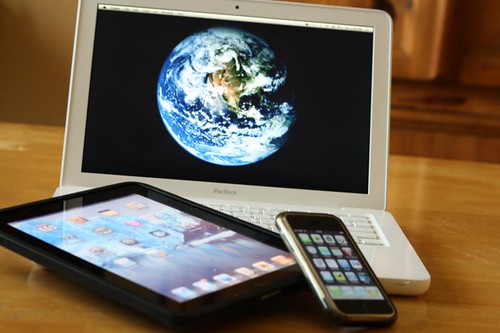
Macbook, iPad, iPhone

Reality is that we are living in a world where screens come in every shape and size.  The world is not divided into a 3.5 inch, 9.7 inch, and 15 inch buckets.  We have screens that range in size from 2 inches all the way up to 65 inches and beyond.

The real challenge is the operating system.  Specifically, the visual interface of the operating system.  In my mind there are three major competitors that are all working towards the same goal.  Apple's iOS, Google's Android, and Microsoft's Windows are all heading the same direction: a unified interface.

Build - Windows 8 Preview [25]

We are not there yet.  For Apple, Mac OSX Lion has an iOS like interface (that I find more annoying than useful) and the iPad has a larger screen that has become very popular.  For Android, Ice Cream Sandwich will unify the the Gingerbread / Honeycomb differences for the phone / table interfaces.  For Microsoft, Windows Mobile Phone 7 and Windows 8 have a unified interface with the Metro design.  Lets not forget the Apple TV, the Google TV, and the Microsoft Xbox all have interfaces for large devices provided by the corresponding companies.

The problem is that the same interface that works on a phone, on a computer, and on a television has not yet been invented.  Some people think it does not exist.  As a developer, I do not necessarily want an interface that is the same, I just want to build it out of the same building blocks.  This way I can write an application once and have it run anywhere.  As a consumer, I want my data and accounts to be portable.  My experience developing applications has taught me that I am horrible at creating interfaces.  I am suited for database and object oriented design, but my GUIs are hideous and hard to use.

My prediction is that Apple, Google, and Microsoft will each provide a solution for a unified operating system that works on every size screen within the next few years.  We are already almost there already!

My least favorite of the approaches is that taken by Apple.  The closed system approach that targets a "single" device has major benefits, but is not capable of innovation in a vacuum.  The iOS platform has pushed computing into new areas and created new opportunities for the average person to integrate technology into their lives.  My favorite approach is the open source one provided by Google's Android.  Even though Android is not developed in the open and the code is licensed Apache 2.0 instead of GPLv3, the balance still favors freedom.  The biggest downside is also the freedom provided by the system.  The combination of phones, tables, and TVs all running Android is mainly complicated by Chrome OS.  The real competitor to keep your eye on is Microsoft. While their phone solution may not be taking off, the market power of Windows combined with Xbox makes this not only the platform of the past, but the likely platform of the future.

While I am currently developing native apps for Windows, Android, and now even iOS, the universal platform is still the web.  While Chrome and Chrome OS are designed to push the limits of the web while providing improvements to security and an overall simplified experience, I do not see native applications going anywhere.  The scifi interfaces of the future are quickly approaching and it will be the next generation operating systems that make them a reality.

I believe the end result will be a way for a developer to write a single application that runs on devices of all shapes and sizes on a single platform.  It may be the open Android, the proprietary Windows, or the locked down iOS, but hopefully all three. The big trend seems to be moving towards simplification.  In the end though, I still only want a heads up display with augmented reality, but that is another issue all together.

Monday, June 13, 2011

My History with Tablet Computing and my Views on the Future

In high school, more than anything I wanted a Tablet PC.  Yes, one running Windows XP with a stylus that everyone seems to hate so very much now.  I ended up getting one, a Toshiba M405, which was the first in a string of Tablet PC purchases.  Speed School started a Tablet PC program the year I entered and I was very involved in making it successful.  I co-founded the Student Tablet User Group and created software that was specifically designed to work with digital ink content.  I also managed to have a class project focused on handwriting recognition and my thesis was based on algorithmic organization of digital ink.  Not all of my work was based around pen enabled input.  My capstone project was a touch enabled card game engine that was built on top of Microsoft Surface technologies.

At this point, I have four Tablet PCs which are essentially being used as Laptops.  Thanks to Google, I now have a Galaxy Tab 10.1 running Honeycomb 3.1.  In the past, I was not a huge fan of Java development, specifically Eclipse, but that has since changed.  My use of AppEngine as a web based development platform along with Android application development and some other small side projects, it has become one of my most used programming languages.  PHP and C# are still used for many of my projects, but Java provides unmatched flexibility.

The past is always interesting to talk about, but my real concern now is the future.  The success of the iPad can not be viewed as a bad thing for the general public, but personally I am not a fan.  While I realize that for some people the iPad provides the integrated experience they want, it will always be lacking in certain areas.  The best explanation that I have heard is that it takes a day to master the use of an iPad while you will still be learning how to use an Android tablet even after weeks of use.  I agree with that statement and must assert that it is a good thing.  Android provides a flexible and open architecture that allows for a more dynamic computing experience.

The real issue to me from a productivity standpoint can be best summarized in a single question.  Can it run Eclipse?  I think this is a good benchmark to determine the level of productivity that you can have on a device.  Since Eclipse is based on Java, it can in theory run anywhere.  The complexity and scale of Eclipse makes it a sizable application that can run slow even on modern computers.  Eclipse will never run on the iPad.  The real question for me is not if it will run on an Android Tablet, but will it run on the Chrome Book that I am expecting in the mail soon.  The core issue here is productivity and the question can be re-framed.  Does a "windows" based computing environment provide the most productive computing environment?  I would argue that for certain tasks the command line is the most productive.  Just as the command line is still a tool of power users a, windowed environment may turn into the same type of tool.

The future will be in the clouds, probably more than anyone expects.  It seems silly to have so much computing power in your pocket (considering battery life) when it could simply be offloaded to another location (that includes an AC adapter).  The devices that we use in our day-to-day lives will simply turn into I/O devices, providing screens and various means of input (keyboards, touch, pen, and voice).  From this respect I think the "windows" interface has only a few years left (I'll pick the arbitrary number of 4) before the vast majority of computing is performed using other interface constructs.  The concept of the traditional window simply does not scale properly to the dozens of screens we are surrounded with.

Mobile phones have introduces the concept of the "app" which is best described as an application that has full screen interfaces that provide a focused computing experience.  While this is a useful construct, I do not believe it is the most ideal.  Personally I am waiting for an immersive augmented reality heads up display to become my primary interface into the digital world.  This concept strays far from the slate based tablets that are rapidly growing in popularity.  Android is the most likely platform to embrace all forms of input (keyboards, touch, pen, and voice), which puts it in the best position for the future.  Android also provides a highly flexible way to have the same application target multiple computing interfaces and hardware types.  Windows also has all of theses features and Windows 8 may extends Microsoft's dominance for another 10 years.  Apple will continue its success, but based on their approach can not change the world by themselves.

The real trick to become the next paradigm in computing is to become transparent.  In the future, it will seem silly to say, "I'm going to go use the computer" because there will be dozens of computers around you at all times.  I'm already surrounded by half a dozed computing devices and this number will only increase.  The future I want to see will be ruled by open source and therefore ruled by no single individual or company.  The question about tablet computing and the future is the wrong question.  There will simply be computing and the entire range of devices must be supported and integrated using the cloud.

Monday, June 6, 2011

Building an Android Application in One Week

While I have decided to keep Track and Field Clipboard closed source, I will reveal a little bit about how I created it. I keep all of my source code for all of my projects in a Subversion repository. Since I always strive to create the highest qualify software, this is definitely a powerful tool. It also provides a great way to keep backups of my code secure. As a data geek, I also appreciate all of the information that is captured by using a version control system. I used StatSVN to generate a report based on the repository.

As you can see from the chart below, I began coding on Monday May 30,2011. The majority of the code was written in the first three days of the project. This work mostly consisted of building the model that was use to represent the field events and participants. This code would have likely taken longer to create if I did not include the Simple XML third party library. Unlike the XML serialization capabilities built into .NET and C#, Java has no built in way to quickly and easily serialize objects into XML. While I could have used binary serialization, that had the possibility of causing problems in the future.


Using the Simple library was so quick and easy, I will likely use it in some other Java based applications that require some trivial XML parsing capabilities. The most attractive feature of Simple is the fact that it is very small. The APK for Track and Field Clipboard is only 156k, which has the library bundled with it. Other libraries were in the multiple megabyte range by themselves.

Android provides a variety of ways to store data persistently. I settled on using files and not an SQLite database to dramatically simplify the process. The process involves writing and reading the serialized object's XML to and from a file. Initial testing on this approach was very promising. The file was read using an AsyncTask and then the appropriate Activity was launched. Since all of the manipulations to the object were being performed in a single activity, this approach worked perfectly. When the activity was paused, another AsyncTask was dispatched to save the object back to the file so nothing would be lost. While I did have some performance issues, it turned out those were primarily cause by having the debugger attached to my device.


The weekly activity graph for this project is very interesting since the project is only a week old. The number of commits peaked and then fell indicating that the application was starting to stabilize. Since the project was a straight forward application there were very few stumbling blocks that I encountered during the process.


At the moment, I am currently between the end of my college career and the start of my first full time job. This means I have had several weeks (and still have several weeks more) where I can decided how to spend my time. Unlike many geeks, I am not a night person. I tend to wake up fairly early and do not stay up late into the morning hours. I have code commits as early as 9 AM and they only go as late as 2 PM. The drop in the number of commits in the later hours is likely when I was hungry and tended to take a break from coding. My lunch breaks were obviously much shorter. The graph reveals my peek productivity times: after lunch and before I go to bed.


This is obviously a very new project and I am confident that there are still a number of bugs in the code. There are also some simple features that did not make it into the initial release. Spending the past week creating this application has been my form of relaxing. Learning how to write an application that targets Honeycomb was definitely worth my time and effort.

Sunday, June 5, 2011

Introducing Track and Field Clipboard

It is a fairly simple idea and I had even talked about it before, but this past week I decided to actually build it. As someone who has been around Track and Field meets since I was very young, it was a perfect opportunity for me to build an application for an Android Honeycomb tablet. The basic idea is to replace the clipboard, paper, and pencil used to record scores for field events with a tablet.


When Google gave a Samsung Galaxy Tab 10.1 to everyone attending Google IO (including myself) there was a less than subtle nudge to "go forth and create apps." Not wanting to spend all of my time playing Angry Birds and now Plants vs Zombies, I decided to actually build a fully functional and useful application.

While I have one other application on the market and another long term project that has an Android component, I wanted to specifically focus on Honeycomb. While the application I build could have targeted phones, that was not my goal. The use case for a small screen is far less attractive, but the biggest motivation for only focusing on Honeycomb was simply to learn some of the new APIs and methodologies. I have spent some time working with the compatibility API for fragments and developing a pure Honeycomb application seemed like a more enjoyable activity.


Now a little bit about the application itself. I finally settled on the name Track and Field Clipboard for the application. Breaking with my long tradition of open sourcing my side projects, I have decided to keep this application close source. However, it is available for free on the Android Market. There is the possibility of me adding some advanced features in a paid version of the application if it gains some adoption.

The application is designed to be very easy to use. You create an event, add participants, and then record marks. The field events that are supported include Discus, Shot Put, Javelin, Long Jump, and Triple Jump. High Jump and Pole Vault are not supported since the rules for those competitions are significantly different and more complex.

The main benefit of using this application as opposed to an analog piece of paper is the automation that it provides. If the competition has flights, the athletes that qualify for the finals along with the order is automatically determined. Each participants best mark is highlighted to provide an accurate summary of the results at the current moment. Additionally, each participants current place is also available along with a view that summarizes the results. After you have finished with the event, the results can be emailed.

My goal here is to have this application just be slightly ahead of its time. There is not a large adoption of Android Tablet users at track meets yet, but with some luck that may change in the next year.

I need to thank Cassie for her help with the graphics (as always). I also need to thank my father for helping me work out some of the details to make sure they matched what would be expected by the user. He also served as my first actual user at the Bluegrass State Games yesterday.

In the end, my goal is to help bring technology into a new area and provide a good user experience. Hopefully I can find some users. More likely, I hope some users can find my app.

Thursday, January 13, 2011

Motorola Xoom

I'm a huge fan of Tablet PCs, but I've not been very excited about slates. The iPad in particular is a device that I am not a huge fan of, but I do recognize its usefulness. Lets start with a little history lesson.


A little more about the Xoom, but mostly PR and not much about how it actually works. Still a fairly awesome video. This product definitely looks exciting.


What I'm really excited about is Android 3.0 and this gives you a better idea of what all the fuss is about.


With my college career coming to an end, making the move from a pen enabled Tablet PC to a touch based Android slate may be a logical next step. While I'm excited about Android development for the phone, the real potential is in developing applications specifically designed for slates. While Microsoft has had technology available for years, at the moment I find the Android approach more attractive.

Wednesday, August 4, 2010

Automated Generation of Javadocs for Open Source Android Applications

While Java is not my favorite language, it has its benefits. With one Android application already posted on the market and another application in development, I decided to start using Javadocs a little more seriously. The process of generating Javadocs is not that complicated using Eclipse, but that is not the solution I wanted. My goal was to automate the generation and posting of the docs as the source code changed.


My shared web host was suitable for hosting the html files, but not running javadoc to actually generate new documents. The solution I came up with was to automatically download the latest code from my public repository, generate the javadocs, and then upload the html files to my shared host. The computer I executed this code on was a Linux virtual server that I have sitting around. The process was actually very simple:
  1. Clean up any files from the previous run of the script
  2. Download the latest source code from the svn repository using svn export. It is notable that you can use svn export with Github since they support accessing repositories using the SVN protocol. Awesome!
  3. Generate the javadocs based off of the freshly downloaded code using the desired parameters.
  4. Copy the newly generated javadocs to the desired server. For my purposes, secure copy was the best solution. With my server's public key installed on the shared host, I was able to log into the remote box without prompting for a user name and password.
The final step in the process is to simply run the script nightly with a cron job and the javadocs will always be up to date. Since I was generating documents for Android applications it was important that the Android jar file be located on the server and the javadoc command be made aware of its location. Without this jar file, the generated javadocs would be incomplete. It is necessary that the Java code can actually be compiled on the computer where the javadoc command is run.

Here is the bash script with the file paths changed to protect the innocent:

#!/bin/bash
cd /path/to/files/docs/
rm -rf ampted.svn
rm -rf ampted

svn export http://ampted.googlecode.com/svn/trunk/
mv trunk ampted.svn

JAVADOCHEADER='<a target="_top" href="http://www.amptedapp.com/">Android Mobile Physical Therapy Exercise Documenter</a>'
JAVADOCFOOTER="Generated on `date`"
javadoc -private -header "$JAVADOCHEADER" -footer "$JAVADOCFOOTER" -d /path/to/files/docs/ampted/ -sourcepath /path/to/files/docs/ampted.svn/android/src/ -subpackages com.AMPTedApp -classpath /path/to/files/lib/android.jar

scp -r /path/to/files/docs/ampted remoteuser@example.com:/path/to/remote/files/docs/

This process has one point where it could definitely be improved and that is that it always overwrites the javadocs even if the source code did not change. If a check was added that compared the commit number of the previously generated documentation and only generate and upload a new copy if it is newer. This wasted effort is not a major concern for small projects, but may need to be fixed as my projects grow in size.

You can see the docs for AMPTed, which is a project that is in the very early stages of development, at http://javadocs.amptedapp.com/

Friday, July 9, 2010

The Finish Line is in Sight - Summer 2010

This semester is unique in that I have a large number of projects & papers that I will have completed. Two of the projects are for the classes I am taking this semester and the other two are papers that I hope to have published. I've already heard the good news about one of the papers and will learn about the fate of my other paper in August. First my class projects...

OpenNoteSecure is an Android application that I created for my CECS 564 Cryptology Term Paper. The goal of the application was to store information securely on an Android phone using encryption. The paper I have written about the project, Storing Encrypted Plain Text Files Using Google Android, is almost finished and I will post it to my website after the semester is over. This is my first Android application that I have created and it is available on the Android Market. I have learned a lot about using cryptology libraries and developing Android applications through this project.

This semester I am also taking IE 563 Experimental Design, a class that has proved to be very useful. My project for that class was testing the accuracy of Window's handwriting recognition software. The source code I used (other than the database schema) was included as part of DPX and is available in the subversion repository. The paper about the project, tentatively titled An Analysis of Type II Errors Using Windows Handwriting Recognition on Individual Words and Numbers, covers the statistical analysis based on the data I collected from handwriting samples. After this semester is over I also plan on posting this paper along with the source code, executable, and some instructions to my website.

The paper that I coauthored with three of my classmates comparing my groups capstone project to another similar project was accepted by CGames 2010. Our paper, Comparing Multiple Game Engine Designs To Develop A Unified, Abstract Layer For Supporting Multiple Game Play Scenarios, discusses a method for abstracting the common elements of our game engines and proposes a new design pattern. Both projects were unique in that they implemented game engines and the similarities and differences between the two projects are very interesting. We will be attending the conference here in Louisville where we will present our paper. Luckily, the conference falls after the semester is over so there will be time to prepare our presentation and attend the conference.

Lastly, and probably what I am most proud of, was the paper that I submitted to WIPTE 2010. Titled, A Method For Automating The Analysis Of Tablet PC Ink Based Student Work Collected Using Dyknow Vision, my paper discusses a tool I developed, DPX Grader, for automatically extracting handwritten scores form panels. My goal is to use what I learned from my analysis of handwriting recognition in the above mentioned class project to develop a tool I am calling DPX Answers that extends what I have done with DPX Grader. My goal is to semi-automate the grading process of student work submitted using a Tablet PC. This is rather ambitious, but I am excited to start major development during the break between semesters. I hope to present this application along side DPX Grader at WIPTE 2010 should my paper be accepted.

There is just over a full week of school left in the semester and I am not finished yet. My class projects are not finished, I have a few other smaller projects and homework assignments standing between me and the end of the semester. Back to work!

Thursday, July 1, 2010

My First Android Application: OpenNoteSecure

Yesterday I published my first Android application, OpenNoteSecure (which is open source), to the Android market. It is a simple application that stores encrypted text files on your phone using AES or DES. It was built for my Cryptology project this semester as a demonstration for securely storing information on your phone.


I will eventually have a paper that will analyze the security of storing information on an Android phone using the encryption that is implemented in the application. Once I finish the paper at the end of the semester I will post it online. It is a fairly simple project, but learning about how to develop Android applications has been worth the time.

You can download the application using the QR code. To my surprise it has already been downloaded a few times. If someone finds this application useful it will have been worth the effort.

Tuesday, April 13, 2010

Abandoning my iPhone for Android?

I purchased an iPhone 3G shortly after it was released. It was my first smart phone and my experience has been something of a love hate relationship. See What I like about my iPhone 3G and What I hate about my iPhone 3G. While there is nothing wrong with my phone, it has survived undamaged, I have the urge to upgrade. I have a problem with gadgets and need to move onto something new.

My current collection of mobile gadgets includes my iPhone 3G, my Zune 80, and an iPod Touch that gets no use. I use my Zune for podcasts, but would be willing to move to another device if it was better than what I currently use. I really should sell my iPod Touch or give it to someone as a present. Just to throw this into the mix, I don't have any plans to buy an iPad but a good Android table would be hard to resist.

The Nexus One phone purchased unlocked from Google that works on AT&T costs $529. That is a lot of money, but since it does not come with a contract I am willing to pay that price. For how much I use my phone, cost is not a factor.

It really comes down to the decision of what phone to buy. Right now I am thinking about clicking the checkout button on the Nexus One and jumping ship over to the Android platform. This is partially motivated by my desire to develop mobile applications.

Is the Nexus One the right choice for me? If I don't get a good argument against the Nexus One I'll hand over the cash.

Powered By Blogger