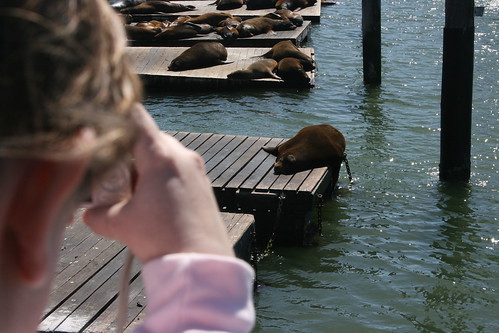
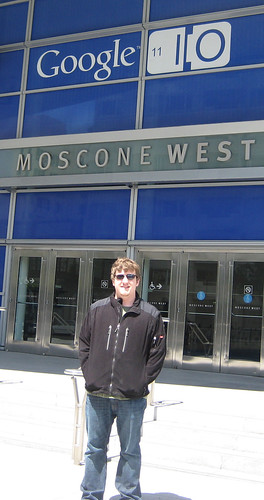
It has been a busy two days. Tuesday was filled with travel, including checking into the conference and picking up my Google Glass at Google's Mountain View headquarters.
Thursday, May 16, 2013
Through My Glass
Saturday, June 30, 2012
Google I/O 2012 Final Thoughts
Back on the subject of Google, there were simply too many amazing sessions to attend. It is impossible to attend all of the awesome sessions because many of them are at the same time. Once I get back home I will continue to enjoy Google I/O all week as I watch the talks that I did not see in person. Realizing that I only saw a small subset of the conference, here are the big themes that I saw and some thoughts on each of them.
The future is made of Glass
The announcements around Project Glass were absolutely amazing. This is the future and Google is going to bring it to developers, including me, next year! I am crazy excited to be on the list of developers who will have early access to Project Glass Explorer Edition. The keynotes will go down as a demo for the history books. This one is going to be hard for anyone to top.
Infrastructure for the big guys
The announcement of Google Compute Engine is significant, but it does not fit the use cases that I currently have for EC2. Their example was focused on the scientific use case of crunching numbers. The price is also competitive, but they do not offer an affordable low end like Amazon, so it is out of my price range.
There were lots of improvements and updates to App Engine, but many of them were not production ready yet. I am happy to see that this platform is moving forward as a core Google technology. I will also be keeping a close eye on the pricing of their SQL product over time to see if it is suitable for some of my projects.
Improvements to the Web
Chrome is definitely big. Huge actually. Technologies like SPDY and the other platform improvements are pushing the web forward at an amazing pase. It seems like Google is the largest player at reshaping what the future of the internet and the web will be and developers are loving it. The announcement of Chrome for iOS is huge and I predict that it will overtake the usage of Chrome on Android very soon.
Design is everything for Android
This last point is probably the most important. It seems that the designers have found a place at Google and the engineers are going to have to make some more room. In the end it is a good thing for users and it seems that the engineers and developers are eager to learn. I know personally I am horrible at making things look good and tend to struggle to make easy to use interfaces. The third day was dedicated to design on the Android platform and the sessions I attended were extremely helpful. I will use what I learned to improve the applications I create. With Jelly Bean released and my new Android devices, I will be spending some time fixing and improving my apps in the coming weeks.
Friday, June 29, 2012
Google I/O 2012 Day 2
No fancy pictures today, just a quick update. The second day keynote brought more surprises and fun. The product announcements centered around Chrome and Google Apps with the big surprise being a free Chrombox for all of the attendees. Again, not a very exciting gadget for a conference. It is going to sit in the box until I get back home where it will likely replace an old laptop as the computer connected to the TV. The majority of the keynote was focused on demonstrating how the previous days skydiving stunt was put on with a repeat of the stunt. The second time through it was more like a developer walkthrough that explained how everything was done.
For me, the rest of the day was mostly spent in sessions learning about App Engine & Android. There are quite a few sessions that I am looking forward to watching on YouTube after I get home that I was not able to attend in person. While there were some major announcements, none of them stand out as something that I want to cover in this blog post.
Today I activated my Nexus 7 and have been using it all day. Unfortunately the spotty WiFi made my Galaxy Nexus more useful (Verizon 4G coverage has been very reliable). The Jelly Bean features are a major improvement over ICS but mostly cosmetic. The changes really do not really justify a major version so the choice to release as 4.1 instead of 5.0 makes sense. The biggest improvement is the Google Now feature which I have been trying to determine what type of questions can be answered. The fallback is a standard Google Search which is still useful. It seems that the Knowledge Graph still needs some work to catch up with what WolframAlpha has to offer.
While the hardware is really excellent, the competitive advantage of the product is tied to the price point. I think I would still prefer a 10 inch form factor, but the ability to hold the tablet in one hand changes the use cases. The I/O model only has 8 GB of storage which will cause me to be selective with what I store. Many of the apps (including my own) need some work to look great on the 7 inch form factor. I am guilty of targeting the 10 inch form factor and will be doing some work in the coming weeks to target the smaller screen size.
With most of the excitement of Google I/O already done, tomorrow will be much less eventful. The biggest thing I have left to do is figure out how I will be able to transport everything back home.
Thursday, June 28, 2012
The Land of Nexus and Tony Stark
Tuesday, June 26, 2012
Google I/O 2012 Predictions
First, the Nexus 7 is almost guaranteed. The specs that have leaked seem reasonable and overall it looks like good hardware. It will not drag like the Kindle Fire and will be a great showcase for tablet optimized Android apps. My biggest complaint is that the 7 inch form factor seems a little off for me.
The thing that I want the most is Project Glass. While it is probably not that likely that they will be giving developers hardware this week (I can still hope) I think it makes sense. If they are going to launch the product next year, giving developers 6 months to work on building apps seems about the right amount of time to get a platform off the ground.
Not falling into the category of a prediction, but more of a dream, I would like to see the self the driving Google car. I would like a picture of myself in the drivers seat. Seems silly considering it is a self driving car, but I can have my nerd fantasies.
Overall looking at the conference Android is going to be HUGE, but Google+ and Google Drive are going to probably steal the show. It seems like App Engine is going to be played down and there is likely going to be some questions regarding the rampant deprecation of developer focused tools and raising (then lowering) of prices on APIs. I have already marked down the sessions that I definitely want to go to, but I am most interested in the sessions that have not been announced yet and will not be released until after the keynote addresses.
I will be sure to post more as the week goes on!
Wednesday, October 5, 2011
Crazy Enough to Change the World
None of the technical considerations mattered to Steve Jobs. It was never about the technology, it was always about the people. He realized that it wasn't about the megahertz or mega pixels, it was how it worked and how it looked. Technology was only the enabler. Steve Jobs raised the bar for everyone creating products and at the same time moved society forward.
Apple was an experiment in what would happen if you actually had one person that was willing to make the final decision. He may not have always been correct, but he thought he was and stood behind his decisions.
The question I ask myself and I believe everyone should ask is, "By doing this am I making the world a better place?" You really can't know the actual answer to the question till after the fact. Mr. Jobs, the answer for you is yes.
Wednesday, September 14, 2011
The Age of the Operating System
What is the biggest challenge in computing? Depending on who you ask and when you ask the question the answers will be dramatically different. The biggest challenge often provides the gateway to the next breakthrough in computing. While the iPad has created a new market that it proceeded to take all of the market share, I do not believe this form factor provides the biggest challenge even though manufactures of Android tablets are acting like it is. Apple is promoting the three form factor sizes that they sell. However, this is a dramatic oversimplification.

Reality is that we are living in a world where screens come in every shape and size. The world is not divided into a 3.5 inch, 9.7 inch, and 15 inch buckets. We have screens that range in size from 2 inches all the way up to 65 inches and beyond.
The real challenge is the operating system. Specifically, the visual interface of the operating system. In my mind there are three major competitors that are all working towards the same goal. Apple's iOS, Google's Android, and Microsoft's Windows are all heading the same direction: a unified interface.
We are not there yet. For Apple, Mac OSX Lion has an iOS like interface (that I find more annoying than useful) and the iPad has a larger screen that has become very popular. For Android, Ice Cream Sandwich will unify the the Gingerbread / Honeycomb differences for the phone / table interfaces. For Microsoft, Windows Mobile Phone 7 and Windows 8 have a unified interface with the Metro design. Lets not forget the Apple TV, the Google TV, and the Microsoft Xbox all have interfaces for large devices provided by the corresponding companies.
The problem is that the same interface that works on a phone, on a computer, and on a television has not yet been invented. Some people think it does not exist. As a developer, I do not necessarily want an interface that is the same, I just want to build it out of the same building blocks. This way I can write an application once and have it run anywhere. As a consumer, I want my data and accounts to be portable. My experience developing applications has taught me that I am horrible at creating interfaces. I am suited for database and object oriented design, but my GUIs are hideous and hard to use.
My prediction is that Apple, Google, and Microsoft will each provide a solution for a unified operating system that works on every size screen within the next few years. We are already almost there already!
My least favorite of the approaches is that taken by Apple. The closed system approach that targets a "single" device has major benefits, but is not capable of innovation in a vacuum. The iOS platform has pushed computing into new areas and created new opportunities for the average person to integrate technology into their lives. My favorite approach is the open source one provided by Google's Android. Even though Android is not developed in the open and the code is licensed Apache 2.0 instead of GPLv3, the balance still favors freedom. The biggest downside is also the freedom provided by the system. The combination of phones, tables, and TVs all running Android is mainly complicated by Chrome OS. The real competitor to keep your eye on is Microsoft. While their phone solution may not be taking off, the market power of Windows combined with Xbox makes this not only the platform of the past, but the likely platform of the future.
While I am currently developing native apps for Windows, Android, and now even iOS, the universal platform is still the web. While Chrome and Chrome OS are designed to push the limits of the web while providing improvements to security and an overall simplified experience, I do not see native applications going anywhere. The scifi interfaces of the future are quickly approaching and it will be the next generation operating systems that make them a reality.
I believe the end result will be a way for a developer to write a single application that runs on devices of all shapes and sizes on a single platform. It may be the open Android, the proprietary Windows, or the locked down iOS, but hopefully all three. The big trend seems to be moving towards simplification. In the end though, I still only want a heads up display with augmented reality, but that is another issue all together.
Sunday, September 11, 2011
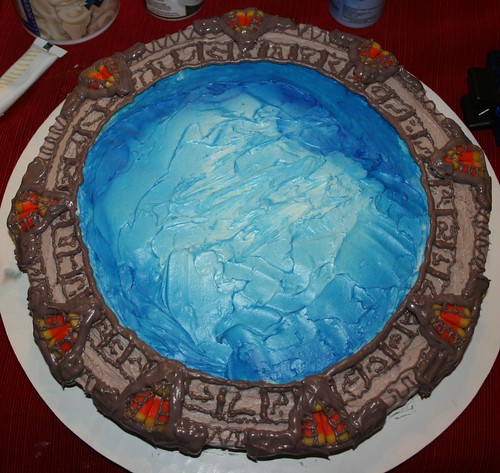
Stargate Cake
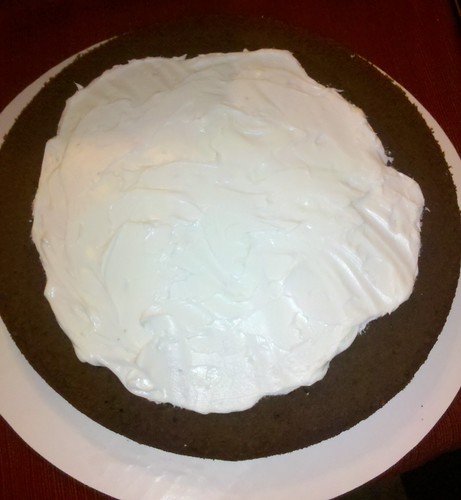
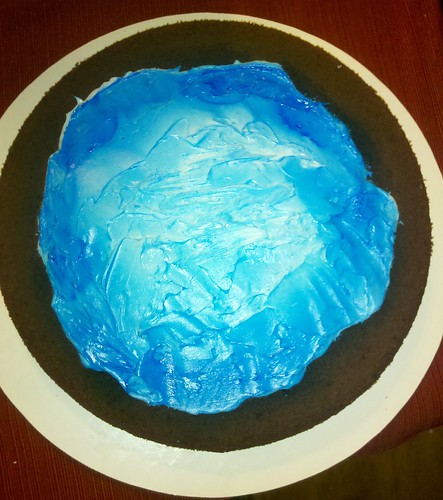
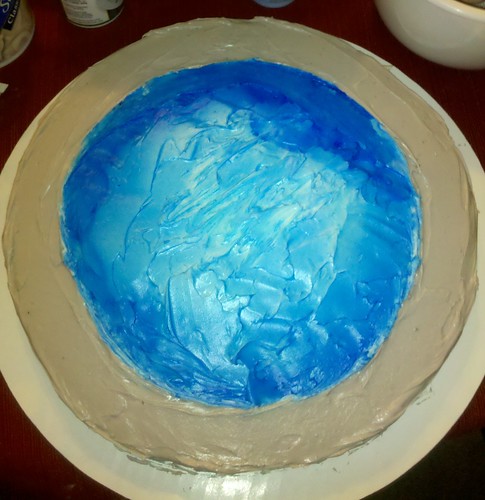
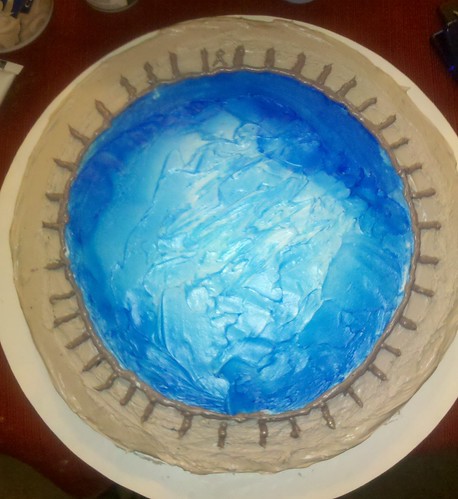
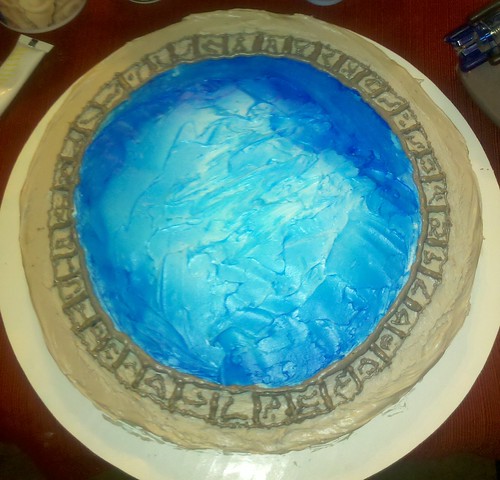
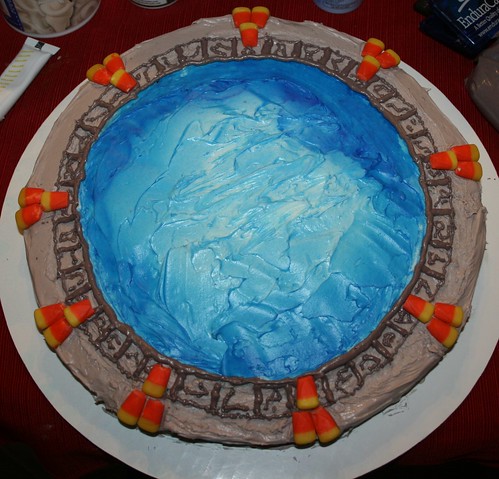
The credit for creating this awesome Stargate cake goes to Cassie. It was made for Steven's birthday, but it was so amazing I couldn't resist sharing the construction process.
Monday, September 5, 2011
My TWiT Birthday
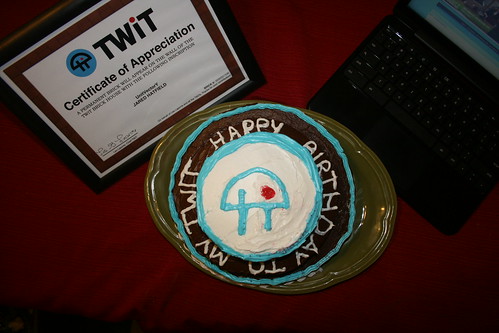
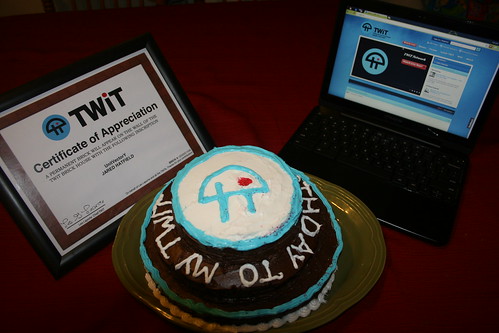
I've been a fan of TWiT for about 6 years now. As a long time fan, my girlfriend decided to get me a TWiT brick for my birthday. It is a contribution to help build the new TWiT studio, but I get a brick with "UnitVectorY Jared Hatfield" in the lobby of the TWiT brick house.
To top things off she even made me an awesome TWiT themed birthday cake!
You can see in the above pictures the Certificate of Appreciation that I received (my replica brick AKA paperweight is still in the mail), my awesome birthday cake that includes the TWiT logo and reads "Happy Birthday to My TWiT", and my Chromebook showing the TWiT website.
Saturday, August 20, 2011
Programming for XML: The Easy Way
I really like XML. It is really amazing what you can do with it. All you have to do is define a structure and then create a document that follows that structure. You can mix and match attributes and elements in individual tags or in lists of tags. The real power of XML is not in the static documents, but in having it be interpreted in running applications.
While I use a lot of programming languages on a regular basis, one of my favorites is C#. One of the reasons C# is so easy to use is because of the built in ability to serialize and deserialize objects directly to XML. This ability is made possible by the XmlSerializer class. With simple annotations you can directly map the objects into the XML structure. The power of this approach is that you can build individual objects that represent each part of the XML and then load the entire document into memory with a single operation.
Java does not provide this functionality out of the box, but Simple XML provides a very small library that allows for an almost identical approach to be used in Java.
With the appropriate calls, the above code could easily read in and produce the following XML document:
While there are some differences between the C# approach and the Simple XML implementation, they are minor. Other than the minor syntax differences, they two handle arrays of objects slightly different. The biggest difference is the default behavior related to unexpected XML attributes and elements. C# is very forgiving and will be able to handle missing and extra elements and attributes without throwing an exception. However, it will throw an exception if there is a type mismatch such as trying to load a string into an integer. The Simple XML framework uses a strict parsing by default and the application will throw an exception if unexpected elements or attributes are encountered. Luckily there is a parameter that can override this behavior. The main reason I have encountered this requirement is to maintain backward compatibility as an XML schema changes over time.
My real complaint is the way the iPhone (Objective-C) deals with XML parsing. While there is no lack of parsing libraries on the iPhone, none of them use the object annotation approaches that I described above. This boils down to the different approach Objective-C uses with regard to syntax and the way objects are defined.
One of the projects I am currently working on requires that I port over several application libraries that has already been written in both C# and Java to Objective-C so it can run on the iPhone. While I have managed to avoid writing complex XML parsers up till now, it seems unavoidable at this point.
With respect to the iPhone, there is a built in plist parsers. Alternatively, JSON provides another means for document communication that would be somewhat easier. In the end I will have to live with my previous decision related to application architecture and choose an XML parsing engine and write the necessary code.
Monday, June 13, 2011
My History with Tablet Computing and my Views on the Future
In high school, more than anything I wanted a Tablet PC. Yes, one running Windows XP with a stylus that everyone seems to hate so very much now. I ended up getting one, a Toshiba M405, which was the first in a string of Tablet PC purchases. Speed School started a Tablet PC program the year I entered and I was very involved in making it successful. I co-founded the Student Tablet User Group and created software that was specifically designed to work with digital ink content. I also managed to have a class project focused on handwriting recognition and my thesis was based on algorithmic organization of digital ink. Not all of my work was based around pen enabled input. My capstone project was a touch enabled card game engine that was built on top of Microsoft Surface technologies.
At this point, I have four Tablet PCs which are essentially being used as Laptops. Thanks to Google, I now have a Galaxy Tab 10.1 running Honeycomb 3.1. In the past, I was not a huge fan of Java development, specifically Eclipse, but that has since changed. My use of AppEngine as a web based development platform along with Android application development and some other small side projects, it has become one of my most used programming languages. PHP and C# are still used for many of my projects, but Java provides unmatched flexibility.
The past is always interesting to talk about, but my real concern now is the future. The success of the iPad can not be viewed as a bad thing for the general public, but personally I am not a fan. While I realize that for some people the iPad provides the integrated experience they want, it will always be lacking in certain areas. The best explanation that I have heard is that it takes a day to master the use of an iPad while you will still be learning how to use an Android tablet even after weeks of use. I agree with that statement and must assert that it is a good thing. Android provides a flexible and open architecture that allows for a more dynamic computing experience.
The real issue to me from a productivity standpoint can be best summarized in a single question. Can it run Eclipse? I think this is a good benchmark to determine the level of productivity that you can have on a device. Since Eclipse is based on Java, it can in theory run anywhere. The complexity and scale of Eclipse makes it a sizable application that can run slow even on modern computers. Eclipse will never run on the iPad. The real question for me is not if it will run on an Android Tablet, but will it run on the Chrome Book that I am expecting in the mail soon. The core issue here is productivity and the question can be re-framed. Does a "windows" based computing environment provide the most productive computing environment? I would argue that for certain tasks the command line is the most productive. Just as the command line is still a tool of power users a, windowed environment may turn into the same type of tool.
The future will be in the clouds, probably more than anyone expects. It seems silly to have so much computing power in your pocket (considering battery life) when it could simply be offloaded to another location (that includes an AC adapter). The devices that we use in our day-to-day lives will simply turn into I/O devices, providing screens and various means of input (keyboards, touch, pen, and voice). From this respect I think the "windows" interface has only a few years left (I'll pick the arbitrary number of 4) before the vast majority of computing is performed using other interface constructs. The concept of the traditional window simply does not scale properly to the dozens of screens we are surrounded with.
Mobile phones have introduces the concept of the "app" which is best described as an application that has full screen interfaces that provide a focused computing experience. While this is a useful construct, I do not believe it is the most ideal. Personally I am waiting for an immersive augmented reality heads up display to become my primary interface into the digital world. This concept strays far from the slate based tablets that are rapidly growing in popularity. Android is the most likely platform to embrace all forms of input (keyboards, touch, pen, and voice), which puts it in the best position for the future. Android also provides a highly flexible way to have the same application target multiple computing interfaces and hardware types. Windows also has all of theses features and Windows 8 may extends Microsoft's dominance for another 10 years. Apple will continue its success, but based on their approach can not change the world by themselves.
The real trick to become the next paradigm in computing is to become transparent. In the future, it will seem silly to say, "I'm going to go use the computer" because there will be dozens of computers around you at all times. I'm already surrounded by half a dozed computing devices and this number will only increase. The future I want to see will be ruled by open source and therefore ruled by no single individual or company. The question about tablet computing and the future is the wrong question. There will simply be computing and the entire range of devices must be supported and integrated using the cloud.
Monday, June 6, 2011
Building an Android Application in One Week
As you can see from the chart below, I began coding on Monday May 30,2011. The majority of the code was written in the first three days of the project. This work mostly consisted of building the model that was use to represent the field events and participants. This code would have likely taken longer to create if I did not include the Simple XML third party library. Unlike the XML serialization capabilities built into .NET and C#, Java has no built in way to quickly and easily serialize objects into XML. While I could have used binary serialization, that had the possibility of causing problems in the future.
Using the Simple library was so quick and easy, I will likely use it in some other Java based applications that require some trivial XML parsing capabilities. The most attractive feature of Simple is the fact that it is very small. The APK for Track and Field Clipboard is only 156k, which has the library bundled with it. Other libraries were in the multiple megabyte range by themselves.
Android provides a variety of ways to store data persistently. I settled on using files and not an SQLite database to dramatically simplify the process. The process involves writing and reading the serialized object's XML to and from a file. Initial testing on this approach was very promising. The file was read using an AsyncTask and then the appropriate Activity was launched. Since all of the manipulations to the object were being performed in a single activity, this approach worked perfectly. When the activity was paused, another AsyncTask was dispatched to save the object back to the file so nothing would be lost. While I did have some performance issues, it turned out those were primarily cause by having the debugger attached to my device.
The weekly activity graph for this project is very interesting since the project is only a week old. The number of commits peaked and then fell indicating that the application was starting to stabilize. Since the project was a straight forward application there were very few stumbling blocks that I encountered during the process.
At the moment, I am currently between the end of my college career and the start of my first full time job. This means I have had several weeks (and still have several weeks more) where I can decided how to spend my time. Unlike many geeks, I am not a night person. I tend to wake up fairly early and do not stay up late into the morning hours. I have code commits as early as 9 AM and they only go as late as 2 PM. The drop in the number of commits in the later hours is likely when I was hungry and tended to take a break from coding. My lunch breaks were obviously much shorter. The graph reveals my peek productivity times: after lunch and before I go to bed.
This is obviously a very new project and I am confident that there are still a number of bugs in the code. There are also some simple features that did not make it into the initial release. Spending the past week creating this application has been my form of relaxing. Learning how to write an application that targets Honeycomb was definitely worth my time and effort.
Sunday, June 5, 2011
Introducing Track and Field Clipboard
It is a fairly simple idea and I had even talked about it before, but this past week I decided to actually build it. As someone who has been around Track and Field meets since I was very young, it was a perfect opportunity for me to build an application for an Android Honeycomb tablet. The basic idea is to replace the clipboard, paper, and pencil used to record scores for field events with a tablet.
When Google gave a Samsung Galaxy Tab 10.1 to everyone attending Google IO (including myself) there was a less than subtle nudge to "go forth and create apps." Not wanting to spend all of my time playing Angry Birds and now Plants vs Zombies, I decided to actually build a fully functional and useful application.
While I have one other application on the market and another long term project that has an Android component, I wanted to specifically focus on Honeycomb. While the application I build could have targeted phones, that was not my goal. The use case for a small screen is far less attractive, but the biggest motivation for only focusing on Honeycomb was simply to learn some of the new APIs and methodologies. I have spent some time working with the compatibility API for fragments and developing a pure Honeycomb application seemed like a more enjoyable activity.
Now a little bit about the application itself. I finally settled on the name Track and Field Clipboard for the application. Breaking with my long tradition of open sourcing my side projects, I have decided to keep this application close source. However, it is available for free on the Android Market. There is the possibility of me adding some advanced features in a paid version of the application if it gains some adoption.
The application is designed to be very easy to use. You create an event, add participants, and then record marks. The field events that are supported include Discus, Shot Put, Javelin, Long Jump, and Triple Jump. High Jump and Pole Vault are not supported since the rules for those competitions are significantly different and more complex.
The main benefit of using this application as opposed to an analog piece of paper is the automation that it provides. If the competition has flights, the athletes that qualify for the finals along with the order is automatically determined. Each participants best mark is highlighted to provide an accurate summary of the results at the current moment. Additionally, each participants current place is also available along with a view that summarizes the results. After you have finished with the event, the results can be emailed.
My goal here is to have this application just be slightly ahead of its time. There is not a large adoption of Android Tablet users at track meets yet, but with some luck that may change in the next year.
I need to thank Cassie for her help with the graphics (as always). I also need to thank my father for helping me work out some of the details to make sure they matched what would be expected by the user. He also served as my first actual user at the Bluegrass State Games yesterday.
In the end, my goal is to help bring technology into a new area and provide a good user experience. Hopefully I can find some users. More likely, I hope some users can find my app.
Thursday, May 12, 2011
San Francisco Vacation

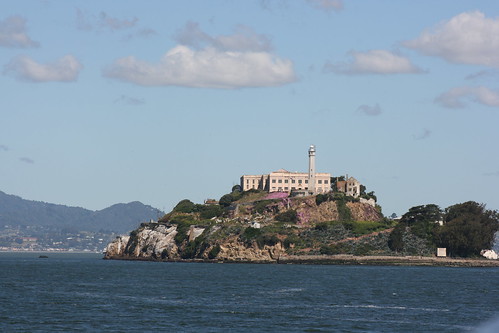
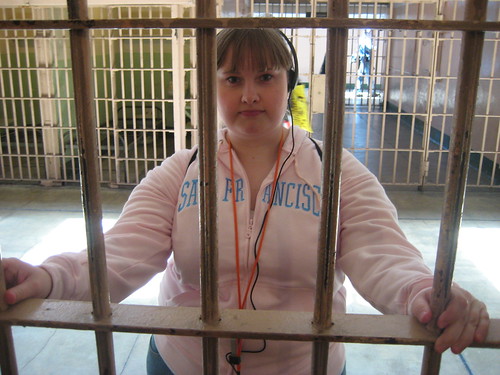
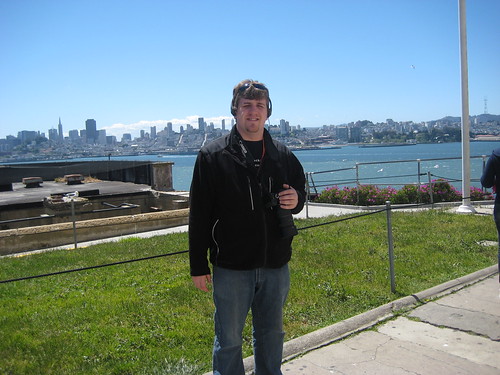
Amazing! The trip was simply amazing. While the conference was only two days, we decided to make a vacation out of it by dedicating two days to travel, one day for sight seeing, and two days for the conference. Before leaving, we purchased tickets to visit Alcatraz Island. That was a good decision. We walked from our hotel to the port and then spent a few hours on the island.


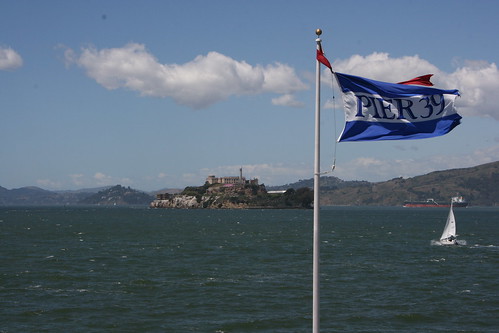
After leaving the island we headed to Pier 39. It was a popular tourist attraction, but was very enjoyable to visit. It was not too crowded and the shops and stores were nice. I was a major fan of the left handed store and ended up getting a t-shirt.


Using the public transportation to get around the city was very affordable and we had no problems. I will be posting some more pictures in the next few days. I will also write a recap of what I learned from the conference itself.
Sunday, May 8, 2011
Getting Ready for Google IO 2011
My decision to go to Google IO was based on two factors, time and money. Right now, after I have finished classes but before I start my full time job. I have lots of time. The main problem is I have no money. I made the decision to find some way to make it work and now I'm here! This is definitely a great way to celebrate the end of my college career.
The conference does not start until Tuesday, but I'm already really excited. Tomorrow will be dedicated to sight seeing and I plan on taking lots of pictures.

Wednesday, April 20, 2011
Defending my Thesis
After months and months of work, I can finally see the light at the end of the tunnel. I defended my thesis Clustering Digital Ink Content to Assist with the Grading of Student Work today. The work that I have done that is based on DyKnow provided me an excellent starting point for my thesis. My open source DyKnow Panel eXtractor project, specifically the DPX Answers application was what I used for my thesis. While the majority of what I implemented for my thesis is available as part of the open source project, the exception is the clustering algorithm I designed.
I recorded my defense, but unfortunately it seems that there were a few problems and there are a few missing minutes between the clips. The majority of my presentation was recorded and the missing bits are not terribly important.
Almost there!
Friday, April 15, 2011
NAESC 2011 Council Presentation - Out in the Open: Council Transparency
Speed School Student Council presentation given by Jared Hatfield at the NAESC 2011 National Conference on the subject of council transparency.
Part 1 of 2
Part 2 of 2
NAESC 2011 Council Presentation - Getting Freshman Involved: Freshman Council
Speed School Student Council presentation given by Jared Hatfield at the NAESC 2011 National Conference on the subject of how to run an effective Freshman Council.
Part 1: The Presentation
Part 2: Question and Answers
Monday, April 4, 2011
My Fight for Transparency in Student Government
- (of a material or object) See-through, clear; having the property that light passes through it almost undisturbed, such that one can see through it clearly.
- The waters of the lake were transparent until the factory dumped wastes there.
- (of a system or organization) Open, public; having the property that theories and practices are publicly visible, thereby reducing the chance of corruption.
- Obvious; readily apparent; easy to see or understand.
- His reasons for the decision were transparent.
Transparency is such a simple word, but its consequences can be very profound. I was elected as Speed School Student Council Vice President in spring of 2010 and took office as an SGA senator in fall of 2010. One of my first actions as a senator was to co-author and help pass Resolution Sunshine, a resolution whose name was inspired by the Sunlight Foundation. The goal of this resolution was to require SGA to post their documents so that all students could have free and open access to them on the Internet. My previous experience with SSSC had shown that this is possible, and as Director of Administration I personally scanned and posted minutes dating back all the way to 1948.
In the end, my goal to improve transparency in SGA was not as successful as I would have liked after working from inside of the system. I believe that the apathy that everyone talks about when referring to student government arises from the fact that they do not understand how the system can benefit them personally. The biggest problem is the separation of students that work inside of student government and the rest of the student body. The goal of transparency is to break down that wall that separates these two groups.
I am idealist. I believe that you should take the good with the bad. The most important thing that makes transparency succeed is that both the good and the bad are available equally. While you may be tempted to hide the bad and promote the good, that is not part of how an effective government should work at any level. To make real progress, you take the measure of the good against the bad and judge the net outcome of the system.
One of my latest projects is UofL SGA Transparency, a blog that I started to provide easy access to all of the SGA documentation and videos I could find. While most of this material is already available in some form, my goal was to make it easy to browse and view. I'm drawing from multiple sources and posting documents that are trapped behind the password protected Blackboard system. A single source of information that will not be deleted when an administration turns over has yet to be achieved.
When I recorded the SGA 2011 Presidential Debate, I didn't expect to cause any trouble. With resources like YouTube available, it is trivial to record and post videos online. But after posting a link to the videos on SGA's official Facebook Page, it was taken down following a request from the SGA Supreme Court. As the elections played out and things started to get complicated, I decided to record the March 8, 2011 Senate Meeting using a combination of my new webcam, Justin.TV and YouTube. What I did not expect was to be personally threatened during the meeting for recording this open meeting. Continuing champion transparency, I also recorded the following SGA Senate Meeting held on March 22, 2011 and plan on recording and posting all of the remaining SGA meeting for the semester.
There is something greater than getting the outcome that you specifically want from a government, and that is the system itself. I fight for the system, I fight for my fellow students, and I fight for my own rights. With graduation just over a month away, I will be leaving UofL. This situation has provided me an opportunity to fight for what I believe in without my actions appearing to be self interested or having the outcomes affect any personal aspirations for SGA that I may have. I honestly want a better system of student government at UofL.
My parents told me you should always leave a place in a better condition than you found it. After this semester, I hope SGA will be better for all of the students at UofL.
Sunday, March 20, 2011
DPX-Tools Version 0.3.5.0 Released
I typically would not announce a release of a new version of my DPX-Tools software, but this version is somewhat special. This update really only includes changes to the DPX Answers application. This application is what I used for my masters thesis. While I have not quite finished my thesis yet, I'm definitely in the home stretch, I have finished all of the coding. This latest release of my set of tools that are able to open and interpret files created by DyKnow Vision includes a new ability. The application can now automatically analyze and cluster student answers.
After the application launches, if it is able to identify a clustering library this it loads into memory. When a file is opened, after the contents of the Answer Boxes have been interpreted using handwriting recognition, the clustering algorithm will merge together what it thinks are identical or near identical answers. The goal here is to reduce the overall amount of effort required by the person grading the student responses.
From a technical standpoint I am very proud of the design of DPX Answers. The application is highly multi-threaded, since processing the the Answer Boxes is a CPU intensive activity. Worker queues are used to perform handwriting recognition and the Dispatcher is used to maintain the GUI interface. This application is the most complicated desktop application I have written to date. While I was having problems with major memory leaks for a time because of some GUI elements, I believe I ended up with a simple, but functional application that focuses on a very specific problem.
Overall I am very pleased with where I landed with my thesis. I will be spending the next few weeks putting the final touches on my thesis and preparing for my defense. It is almost impossible for me to calculate how much time I have spent working on the code that makes up DPX-Tools. The DPXReader library, which is able to open a DyKnow file and render the ink content, took me hundreds of hours to develop along with the various applications that utilize its functionality. As I finish my degree at UofL, I will no longer be using DyKnow Vision. I have worked very hard developing this software and hope that someone else will find this code base and the applications useful.


.jpg)