I wasn't a big RSS guy for the longest time, now I use it everywhere. I'm not going to list all of the things I subscribe to (RSS feeds or podcasts) in this post, but I am going to talk about how I like to use RSS. My current reader of choice is Google Reader. I didn't start using it until after I moved to Gmail, which probably had something to do with using other Google services.
I like to subscribe to things that don't post that often. Lets say I like knowing when Revision3 has an update, such as a new show. I'll subscribe to the RSS feed and check my reader every day. This way I don't have to visit all of these sites I want to stay up to date with, I can just check one place. Since I subscribe to a lot of blogs that post periodically, I always something new to look at.
The problem is, if I subscribe to a feed such as Engadget or Gizmodo, I get swamped. I simply can't keep up with the massive number of daily posts. However, I do like seeing some of the posts, probably the most popular ones. Often these posts don't make Digg's homepage or they haven't yet.
A long time ago I ran across the website AideRSS but wasn't yet using RSS as much as I was now and just thought it was a cool idea. Then, not that long ago Leo mentioned AideRSS and I looked it up again. By using the 'best' setting of the feeds I can wittle down massive feeds down to just the high quality content.
I should probably explain what AideRSS does. It uses PostRank(TM) to calculate the best posts for a given feed using lots of different services. It gathers data from lots of sources about each given post and uses it to decide the post's rank. You can then chose what level of posts to subscribe to: good, great, or best.
This service has allowed me to subscribe to Ars Technica, Crooks and Liars, Engadget, Gizmodo, and Tree Hugger. All of these blogs tend to, individually, post more then I can keep up with. Together, these blogs produce a massive amount of content. By using AideRSS on best, I only get a few posts each day. While I'm not getting all of the content, I still feel like I'm getting some of the best content.
Right now I'm only using AideRSS to subscribe to a few blogs. Now that I'm using this service, I hope to find some other feeds to subscribe to using this service.
Even though I'm using AideRSS to filter down some of the big internet blogs, it works for any feed. Below I have included the widgets that AideRSS provides for a feed, but these are for my personal blog!
Wednesday, March 12, 2008
Preventing RSS Overload
Tuesday, March 11, 2008
Audio Link for Mazda6

I drive a Mazda6 and have always been annoyed that I didn't have an AUX port on my radio. I have a Zune, not an iPod, so my options are a little limited. If I had an iPod, I would have been able to integrate it into the controls that are located on my steering wheel and charge it while it played. While I will admit I would have liked those features, I still prefer my Zune over an iPod.
I purchased the Audio Link USB MP3 Player Integration Kit for Mazda. I mainly use this for the AUX port, but it does have the ability to play MP3s off of a flash drive or memory card. Since I'm such a podcast addict I'll probably stick to using the AUX port and my Zune. Also, my podcast addiction requires me to sync several times a day and this keeps my Zune charged so I haven't had any battery problems yet. I may try and making a custom cord to charge my Zune (or other USB device) using the USB port for the MP3 player, but that is for another post.
I would not have been willing to undertake disassembling half of the interior of my car if there wasn't a useful video demonstrating the process: HowdUDoThat: Audiolink IPod/MP3 Adapter Installation for Mazda 6 courtesy of the Tech Doctor. I should probably note I didn't use the same adapter that is in the Tech Doctor's video. As I mentioned earlier, I didn't use the iPod adapter. However, the basic process is demonstrated and I was able to get the job done.
It wasn't the easiest install, but it didn't take very long. Removing the cup holder in the center console was the first obstacle. I managed to unsnap every clip except for one pesky clip. I eventually ended up cracking a small part of the plastic while removing it. After examining it I noticed it wasn't well enforced and I could see why it failed. Luckily, the crack is under the holder and is not visible. It didn't really make a difference and was easily repaired. The second obstacle was removing the head unit in my Mazda 6. I removed the screws at the bottom and the bolt that is accessed through the glove box, but it wasn't moving. It took two people pulling and pushing to finally get it to budge. It really took a large amount of force to unsnap the six snaps along the edges. Once it was loose I was able to route the wire, plug in the connection and it was working in no time.
Overall, I'm really happy to have an AUX port. While it was a little depressing to note that my mom's new car simply came with a built in AUX port. I'm also fairly certain that most newer cars are coming with AUX ports. However, I feel accomplished having to install this port myself.
Monday, March 10, 2008
Anonymous Comments To Be made Illegal
If the bill becomes law, the website operator would have to pay if someone was allowed to post anonymously on their site. The fine would be five-hundred dollars for a first offense and one-thousand dollars for each offense after that. Kentucky made the Digg homepage... too bad it isn't a positive story.
read more | digg story
Monday, March 3, 2008
Wireless changes?
"This announcement affects all university wireless users. In response to your feedback, IT announces expanded options for secure access to the university's wireless network. Beginning March 7, wireless options will include: a new and improved Odyssey client compatible with both Vista and XP; a "client-less" solution that uses the built-in wireless support included with the Microsoft and Macintosh operating systems; ability to use the wireless features included with Windows Mobile 5 and 6 for handheld devices; and simplified guest wireless access. More details will be coming."
Taken from: http://kla-itrt.org/uofl/art-library/news/20080303
Wow, UofL may be improving the wireless options sooner than I thought.
Sunday, March 2, 2008
E-Expo Apache?
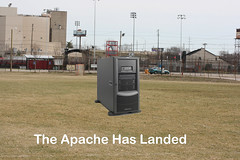
For those who were at E-Expo this year, you probably noticed that the Apache didn't make it. Well, I can't help but have some fun with this...